

Overview
Views in Custral define how data is displayed, filtered, and interacted with. They’re the bridge between your structured data (Objects and Records) and the visual interfaces (Components) your teams use every day. Each View reads live data, so every chart, list and stat card on it shows the same records as everything else in the workspace.What is a View?
A View is a visual representation of your data within a specific context: like a dashboard, list, or board. Views organize what data appears, how it’s grouped or filtered, and which Components render it. Each View includes:- Source Entity – The Object or Page it’s built on
- Filters and sorting rules – Define which Records appear and in what order
- Layout – Determines how Components are arranged visually
- Components – The actual interface elements that display or interact with the data
The hierarchy
Views sit between your data and your user interface. They connect Entities (like Pages or Objects) with the Components that render and manipulate live data.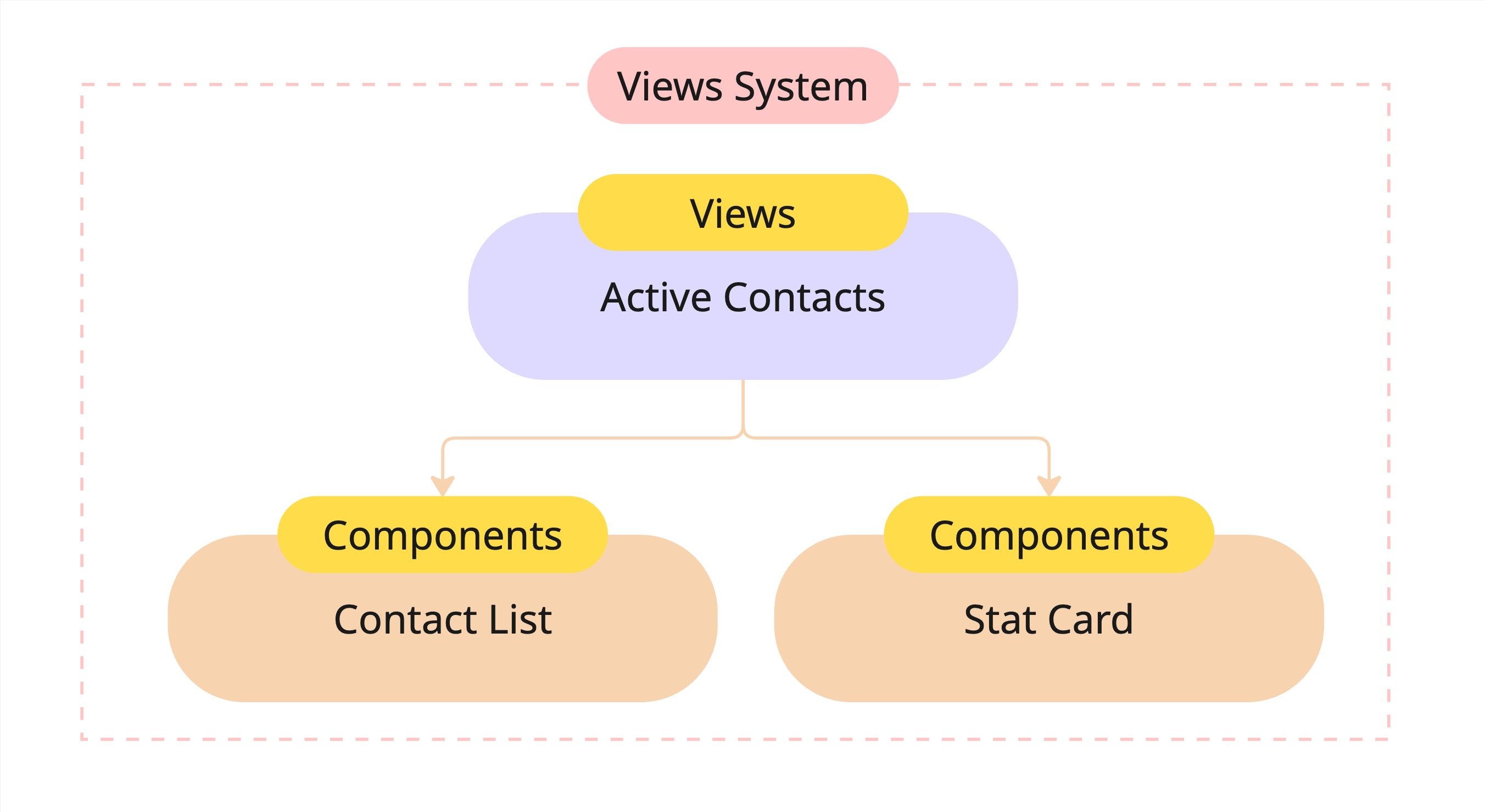
- View: Active Contacts
- Components: Contact List, Stat Card
- Each Component visualizes part of the same underlying dataset, but in a different way.
How Views connect to Entities
Every View is anchored to one of two Entities (a Page or an Object), depending on how you want users to access and visualize data.
Each View pulls live information directly from your data model, meaning updates in Records instantly reflect across all connected Views.
Components inside Views
Views are made up of Components. Reusable interface blocks that display, edit, or summarize data. Common Component types include:
Components within a View share context, filters, and permissions. Ensuring that data displayed across all of them stays consistent.
Filtering and customization
Every View in Custral can be customized to fit your workflow:- Filters – Narrow data to what’s relevant (e.g. “Status = Active”)
- Sorting – Order Records by a property or date field
- Grouping – Cluster data by stage, priority, or owner
- Layout – Arrange Components visually using grids or sections
- Visibility – Control who can see or edit the View using permissions
Why Views matter
Views are how a team reads its data. They let you:- See the right data in the right context
- Build dashboards, lists, and boards without technical setup
- Keep information consistent across departments
- Reuse Components for consistent, data-driven design