

The sidebar at a glance
The workspace hierarchy
The tree you build follows one simple hierarchy: Sections hold Pages and Folders, and each Page opens one or more Views.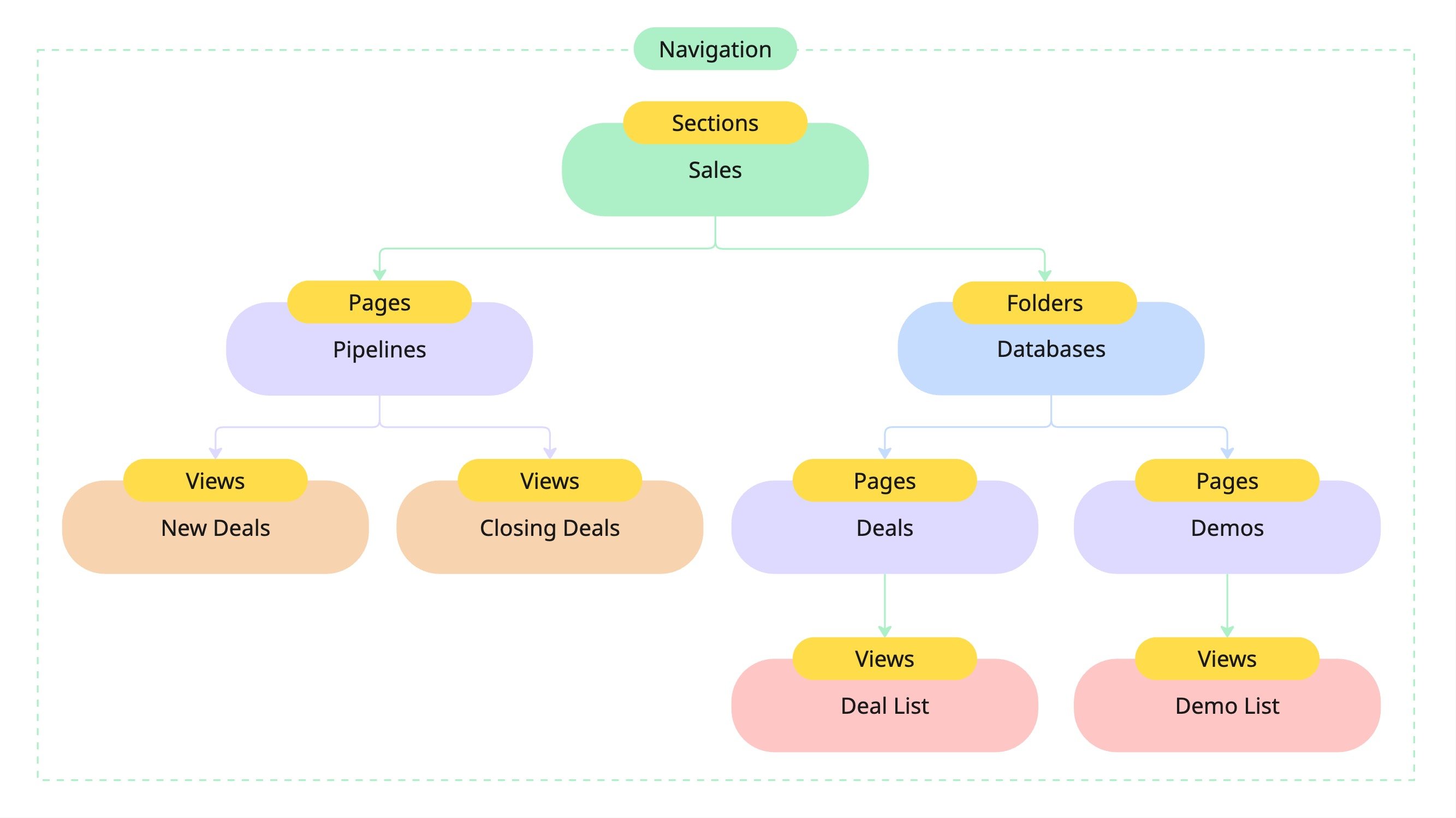
A folder is just a page that holds other pages. There’s no separate “folder” object, only a page shown with a folder icon. Folders nest a couple of levels deep (a folder can hold a subfolder), which keeps large workspaces tidy without turning the sidebar into an endless tree.
Modes
The mode rail at the top of the sidebar swaps what the sidebar body shows, without leaving the page you’re on:Home
Your Modules, Favorites, page tree, and Private pages: the default.
Stella
Chat with Stella and revisit past threads.
Inbox
A live list of open conversations across email, SMS, voice, and chat.
Tasks
Your task queue, grouped and filterable.
Modules, Favorites, and Private pages
- Modules are pinnable shortcuts to Custral’s built-in surfaces. Hit Edit on the Modules rail to pin or unpin Mail, Texts, Calls, Calendar, Tasks, Inbox, Workflows, or Sequences. Everyone tailors their own rail.
- Favorites collect the pages and records you star, so they’re one click away no matter where they live in the tree.
- Private pages are scoped to you alone (scratch notes, a work-in-progress dashboard) and live in their own part of the sidebar, below the shared tree.
Build your navigation
1
Create a section
A new workspace starts empty. Add your first Section from the page tree and give it a name and icon (for example, Sales).
2
Add pages
Inside the section, add Pages: a dashboard, a database of records, or a document.
3
Group with folders
Create a folder, or drag pages onto one another, to group related work. A folder can hold a subfolder, a level or two deep.
4
Reorder and move
Drag pages to reorder them or nest them into a folder. A page’s ⋯ menu also lets you rename, duplicate, move it to another section, copy its link, or add it to Favorites.
Your Sections, Pages, and their order are shared across the workspace and respect permissions: a Section (and everything in it) can be limited to a group, and each Page inherits access from its Section. For a layout only you can see, use a Private page instead.
Related
- Sections · Folders · Pages
- Views overview: the tabs a page hosts.
- Record routing: how a record renders its object’s views.
- Entities · Permissions