

Data Models
Custral’s data model mirrors how teams already organize and connect information. It’s flexible enough to model any workflow (from sales pipelines and onboarding journeys to product feedback and support tickets) while staying structured and consistent. At its core, the model is built around Organizations, Objects, Records, and Properties.Overview
Each layer of Custral’s data model serves a distinct purpose:
Together, these layers connect every piece of customer data in one place.
Hierarchy
Data in Custral flows downward: starting from your Organization, through Objects, down to Records and Fields.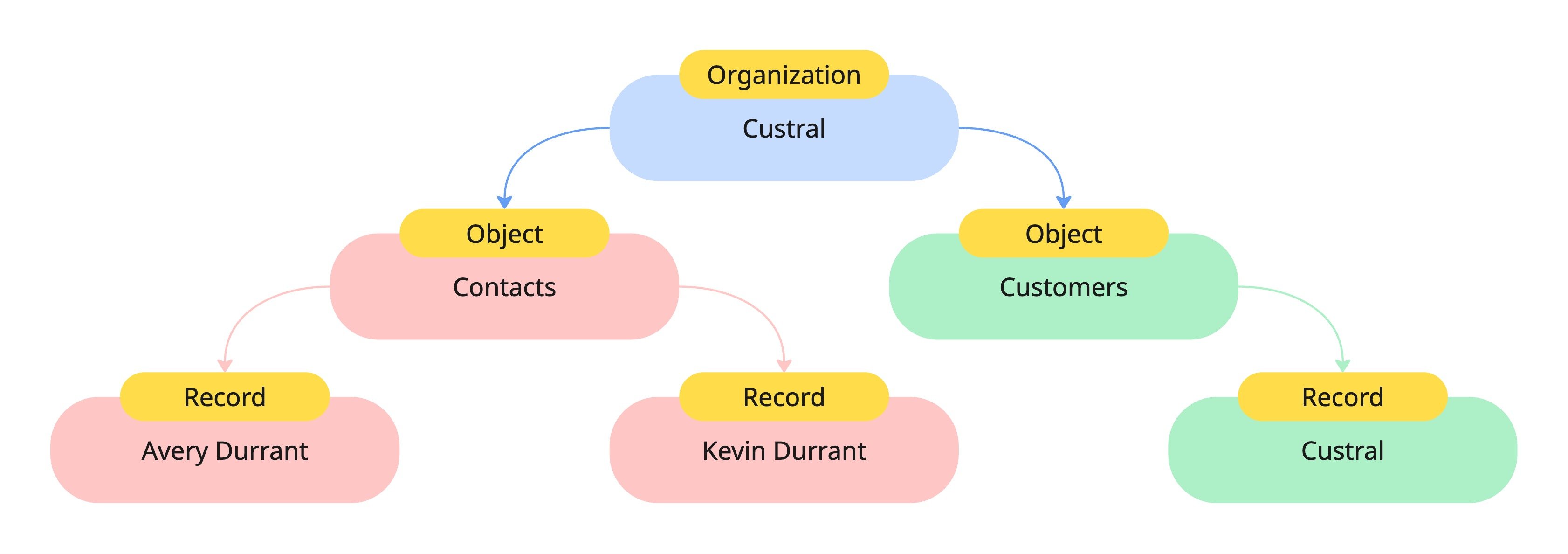
- Organization: The root container that owns all data, settings, and permissions.
- Objects: Define categories of information within your workspace.
- Records: Represent individual entries of an Object, like a specific customer or deal.
- Fields: Hold the actual values for each Property in a Record.
Example: Object and Record structure
Every Object defines a consistent structure for its Records. For example, aContacts Object might define Properties like Contact Name and Email.
Each Record under that Object will contain Fields that match those Properties.
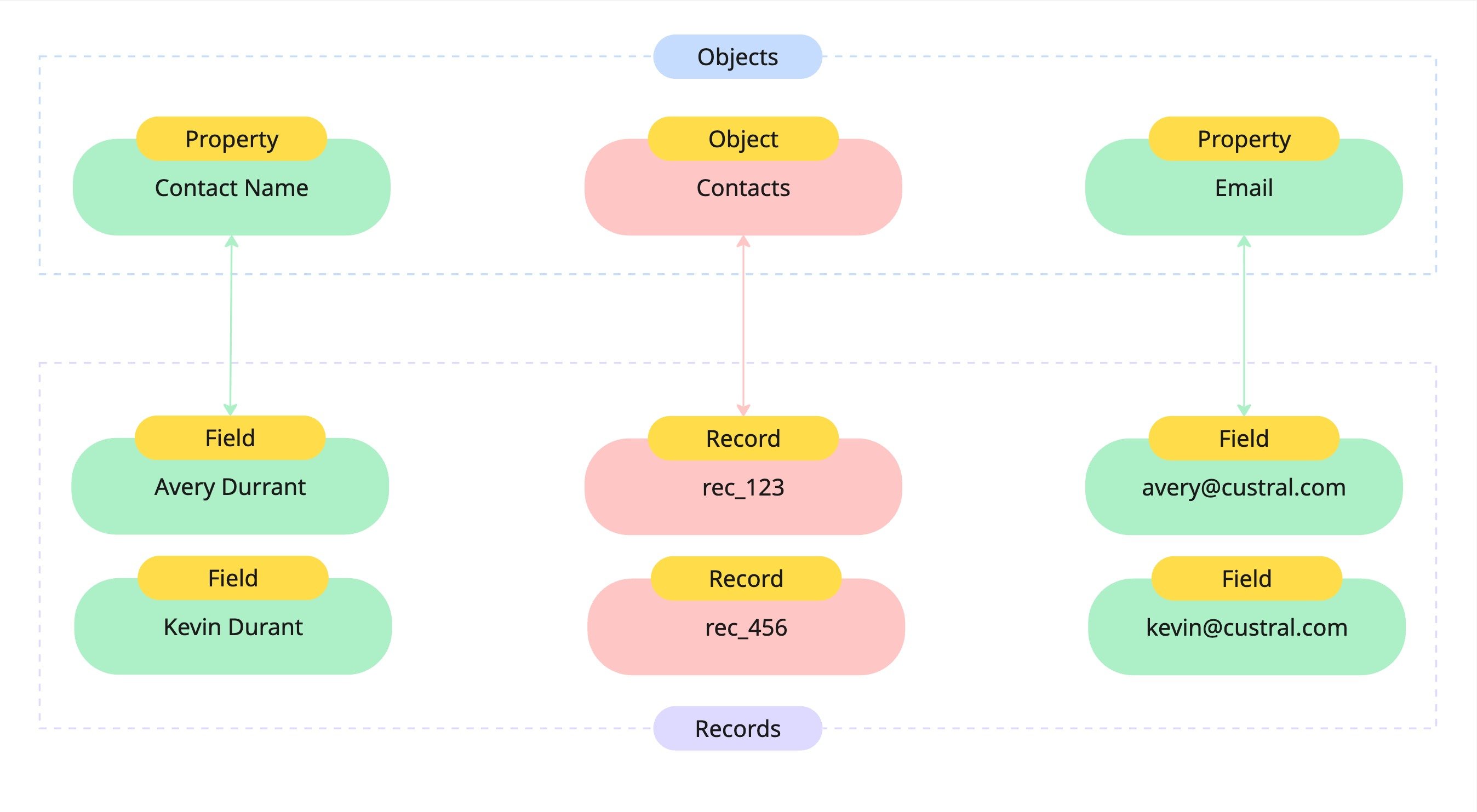
- The Contacts Object defines two Properties:
Contact NameandEmail. - Each Record (like
rec_123) has corresponding Fields that store the values: Avery Durrantada@example.com
Why this matters
Custral’s schema-driven model gives you:- Flexibility – Create custom Objects and Properties for any workflow.
- Consistency – Every Record within an Object shares the same structure.
- Scalability – Add new data types or relationships without breaking existing data.
- Context – Link Objects and Records together for a 360° view of your customers.